Knowledge base
Changing ticket holder details
Created on 14 Mar 2025, Updated 14 Oct 2026 04:42
You can change basic information on ticket, such as email address, name and add notes
Navigate to the Attendees page
Search for a guest to edit
Search for the guest that you would like to edit and click "Edit" from the Action dropdown menu
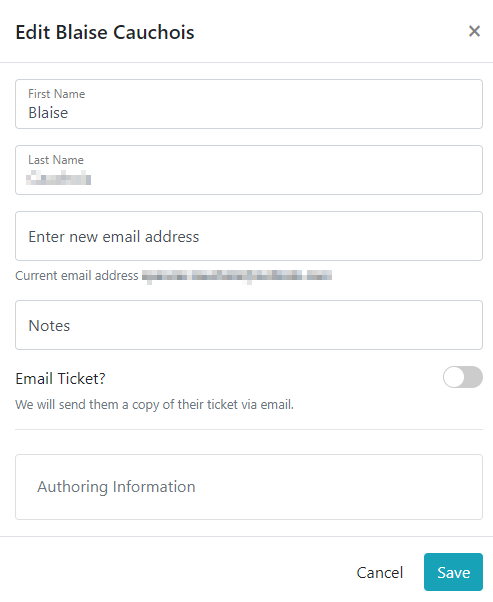
Edit ticket holder

The ticket edit form will appear. Change any of the details such as name, email address or add a note etc. You can also resend the ticket to the ticket holder by toggling the Email Ticket option. When you've finished editing, click the "Save" button to confirm your changes
View notes from the ticket holder page
The notes for the ticket holder will appear on the ticket holder page on the check in page and when you export your guest list
🎫 Changing a ticket to another ticket type
You may also change the ticket type if there are other ticket types of the same value

If you're trying to move someone from a General Admission ($50) to a VIP ($100), it won't show as an option because they're different values. In that case, you'd want to use the Move ticket option instead (which lets you change section/session), or refund.
Related articles
Generate temporary, shareable links that grant greeters access to the check-in